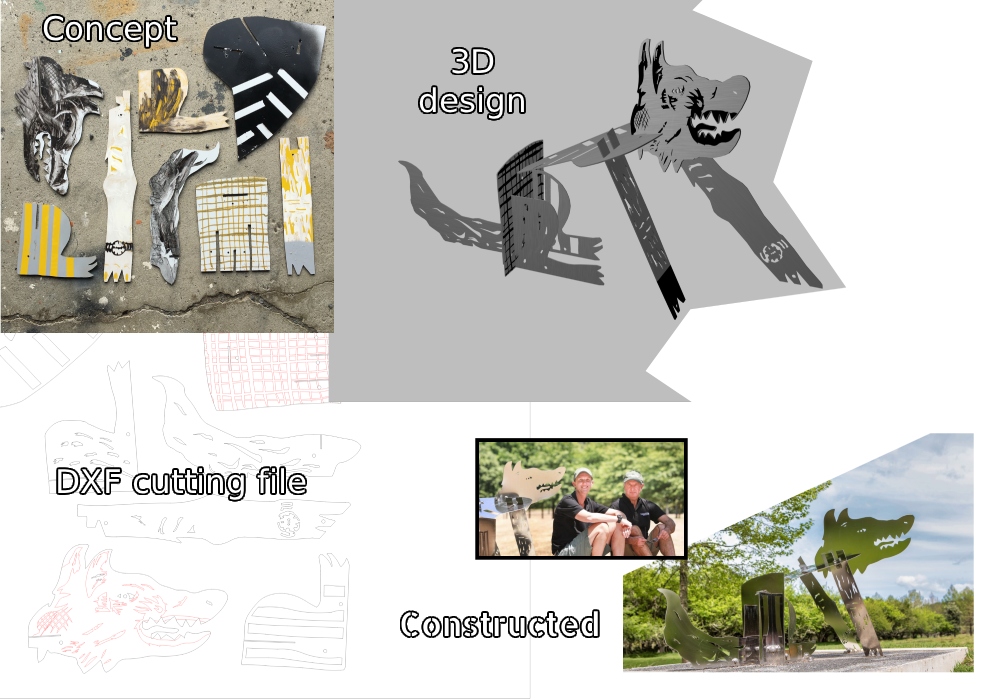
DigitalEuan – Auckland – 3D design + Sculpture + websites. DXF files for laser / plasma / water cutting – STL files for 3D printing.

DigitalEuan

Aotearoa

NZ Artist

DXF/STL design + 3D design + Graphic design + Art

3D concept design for sculpture

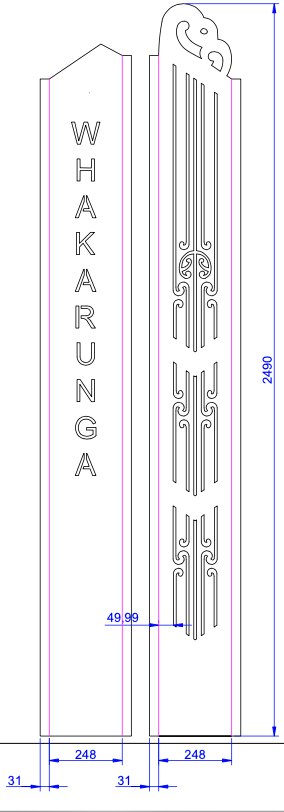
DXF + STL files for fabrication

Animation

Sculpture

Fine art

Illustration

Websites

Branding

Design services

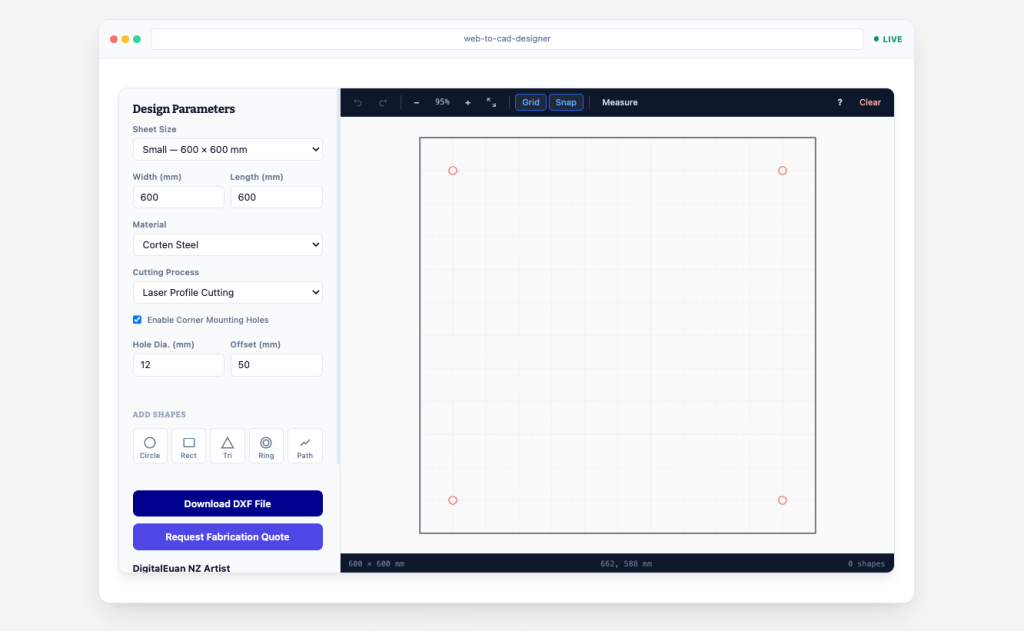
Custom-made Web-based CAD design app with standard tools needed to make a DXF ready for cutting.

Draw directly in your browser, measure and adjust with precision, then export a cut-ready DXF. You can then send your concept straight to us for a full design quote.

Try this App live now

~ You can get this App ~

Currently this is an easy-as WordPress Plugin but it can translate to other systems – contact us to discuss your specific setup requirements.

This App provides an actual tool for people at the start of the laser/water cutting pipeline then acts as a sales lead generator.

More features are being added as I develop the App.

Yes – there is an Admin area where you can change various settings and adjust how messages are sent from the App to your email

  • Sheet sizes — Preset sheets (600×600, 1250×2500, 1520x3600mm) or enter any custom size from 50mm to the maximum sheet dimensions.
  • Corner mounting holes — Optional, with adjustable diameter and edge offset. Exported to DXF as smooth polylines on the cut layer.
  • Shapes — Circles, rectangles, triangles, and rings. Each can be dragged, resized via 8-point handles, rotated via a dedicated handle, and fine-tuned with exact numeric values in the properties panel.
  • Custom path drawing — Click-to-click path tool with automatic node snapping to close loops. Enter exact length and angle values for precision segments.
  • Explode and edit — Break any shape (including parametric shapes like circles) into individual editable line segments. Click any segment to remove it. Full undo support throughout.
  • Two cut/engrave layers — `0_CUT_PATH` (red) and `1_ENGRAVE_LINE` (blue), matching the naming convention used by most laser and waterjet job software. Assign any shape to either layer from the properties panel.
  • Background image — Upload a JPG or PNG reference image (concept sketch, logo, template). Adjust opacity with a slider, drag to reposition, Alt+Scroll to resize, Shift+Alt+Scroll to rotate in 5-degree increments. The background image is for visual tracing only — it is never included in the DXF export.
  • Grid and snap — Adjustable grid size (5–200mm, step 5). Toggle grid visibility and snap-to-grid independently. Minor grid lines at 10mm intervals for fine reference.
  • Measure tool — Click-to-click distance and angle measurement with a persistent on-screen overlay. Snaps to shape endpoints (path vertices, rectangle and triangle corners) and grid intersections for precision measurement. Green indicator appears when snapping to an endpoint.
  • Zoom, pan and fit — Scroll-wheel zoom (centred on cursor), middle-click or Space+drag to pan, Fit-to-View button to reset. All rendering is retina/HiDPI aware.
  • Undo / Redo — 60-level undo/redo stack. Keyboard shortcuts Ctrl+Z / Ctrl+Shift+Z, plus toolbar buttons.
  • Arrow-key nudge — Move selected shapes by the current grid size, or hold Shift for 1mm precision nudging.
  • PNG export — Capture the current canvas view (including background image, shapes, grid, and mounting holes) as a high-DPI PNG file.
  • DXF export — Generates a complete DXF R2000 (AC1015) ASCII file with proper HEADER, TABLES, BLOCKS and ENTITIES sections, real entity handles, and a correct layer table. All geometry is exported as continuous LWPOLYLINE with exact shared endpoints — no gaps. Circles and rings are exported as high-segment polylines for guaranteed smooth curves. Opens cleanly in AutoCAD, LibreCAD, Fusion 360, Adobe Illustrator and common laser-cutter software (e.g. LightBurn).

= Quote Request Pipeline =

  • Customisable button text — The quote button label is configurable from the admin settings page (defaults to “Request Fabrication Quote”).
  • Contact form — Name (required), email (required), phone, and notes fields. The design’s material, cutting process, sheet size, and mounting hole specifications are included automatically.
  • Concept image uploads — Up to 3 JPG/PNG images (5MB per file, 8MB total) can be attached to illustrate the desired design. Server-side MIME type validation. Images are attached to the quote email alongside the DXF file.
  • Email delivery — The DXF file and any concept images are emailed as attachments to the configured company email address. The visitor’s email is set as the Reply-To address. All temporary files are deleted from the server after sending.
  • SMTP support — Optional custom SMTP configuration (host, port, encryption, authentication) for hosts that block default PHP mail.

= Admin Settings =

All settings are at Settings > CAD Designer in the WordPress admin:

  • Company name, email, phone, and tagline
  • Quote button text (leave blank for default)
  • Lead-generation message displayed below the designer sidebar
  • Enable/disable the quote request form
  • Custom SMTP server configuration

= Privacy =

  • All drawing happens in the visitor’s browser. Nothing is transmitted unless the quote form is submitted.
  • Quote submissions are emailed and immediately deleted from the server — no database storage.
  • The optional update checker (see Updating section) sends a single anonymous GET request to a public JSON file. No user data, site data, or analytics are transmitted.

Designed by DigitalEuan, this App is built as a WordPress Plugin.

Contact DigitalEuan to discuss using this App on your website.

DigitalEuan Hub

3D model viewing platform for DigitalEuan clients:
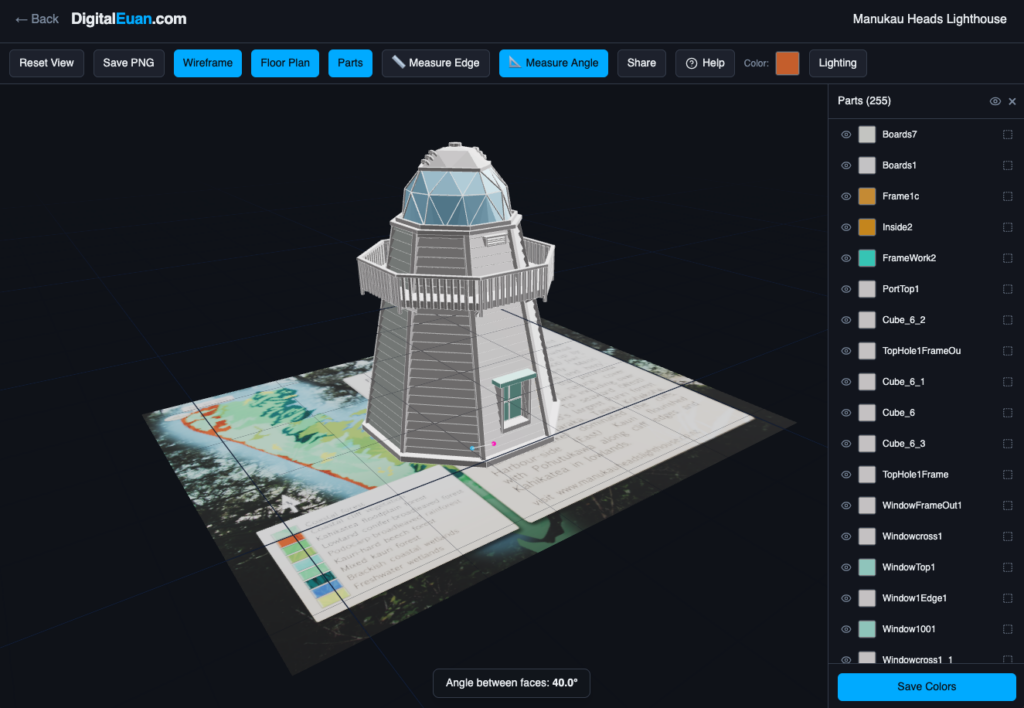
Use the password ‘enter‘ to view the platform and example models

https://digitaleuan-lab.lovable.app/

(I am still building the APP a little so it currently has an odd domain name)

Navigation & Animation

  • Rotate
  • Pan
  • Zoom
  • FBX Animations
  • Animated models

View & Export Controls

  • Menu toggle
  • Reset View
  • Save PNG
  • Wireframe
  • Floor Plan
  • Parts

Measurement & Display

  • Measure Edge
  • Measure Angle
  • Share
  • Color
  • Lighting

Parts & Customization

  • Parts Sidebar
  • Toggle visibility
  • Show All / Hide All
  • Colour picker
  • Transparency (T)
  • Save Colors
  • Unfold button

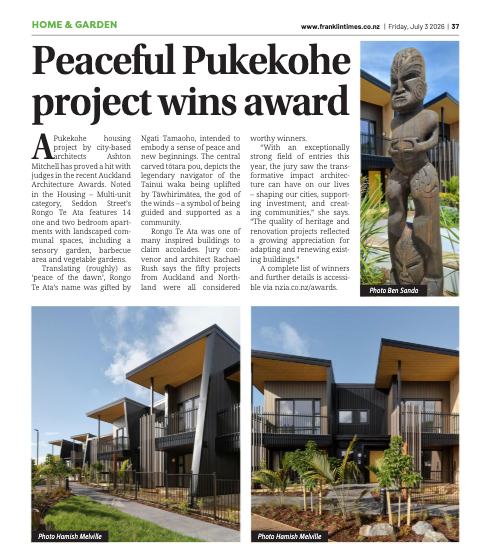
Te Kāhui Whaihanga New Zealand Institute of Architects’ Regional Awards

~ Pleased to be a part of this project ~

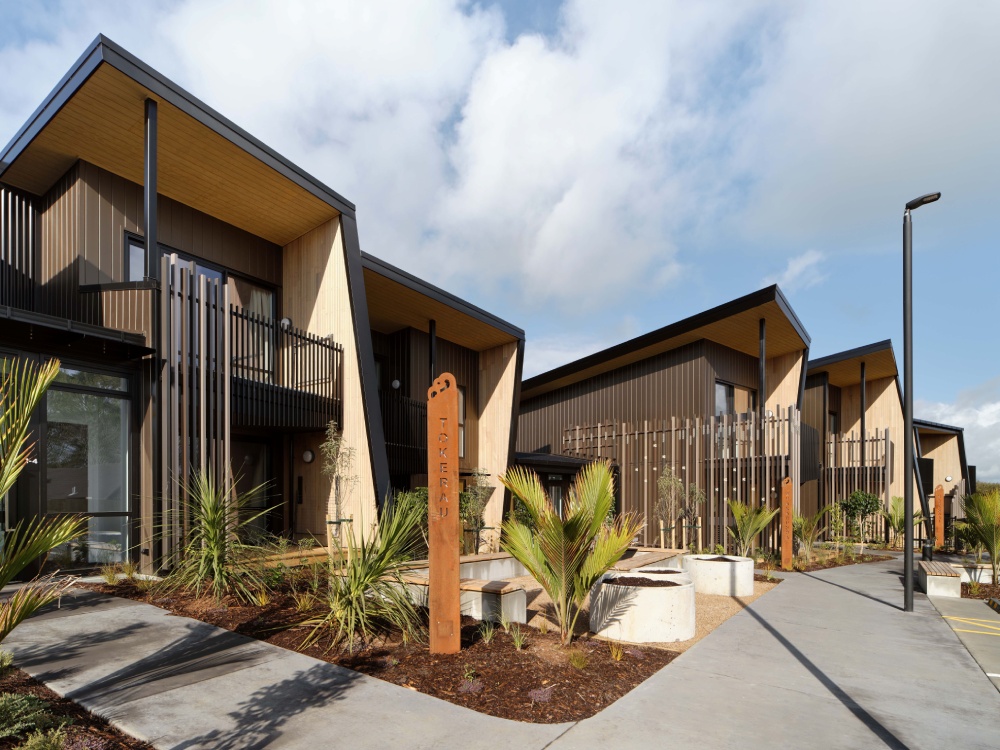
The Pukekohe housing project by city-based architects Ashton Mitchell - in the Te Kāhui Whaihanga New Zealand Institute of Architects’ Regional Awards
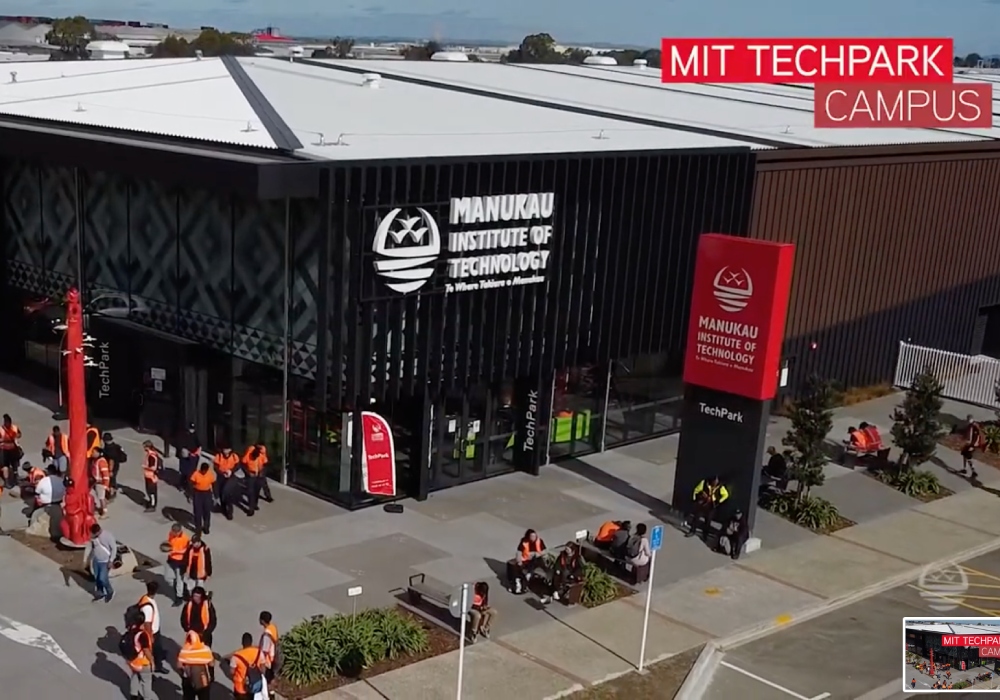
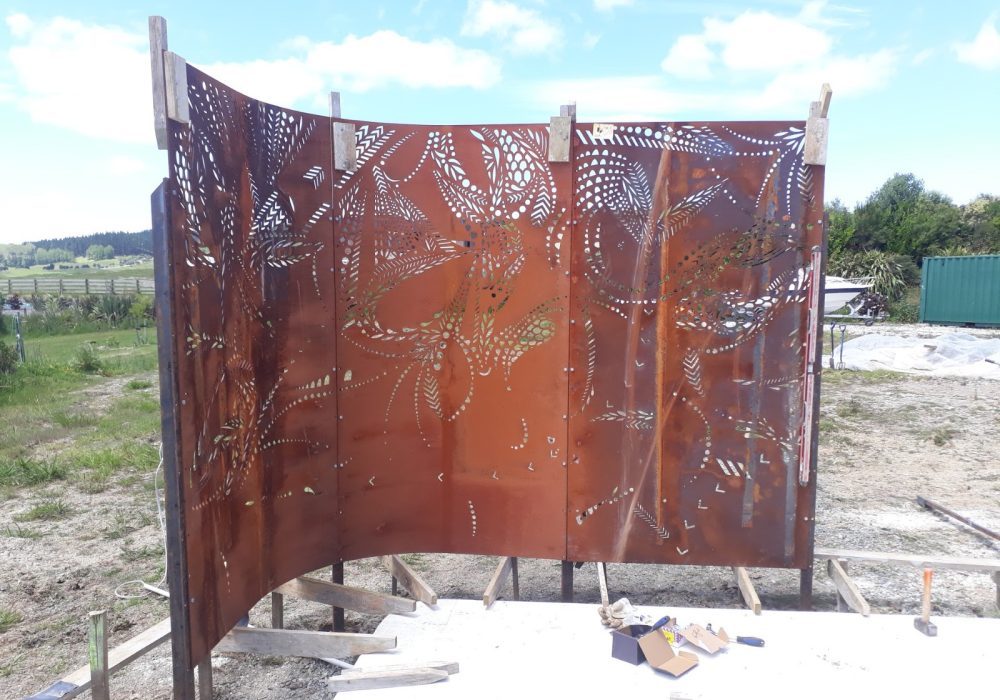
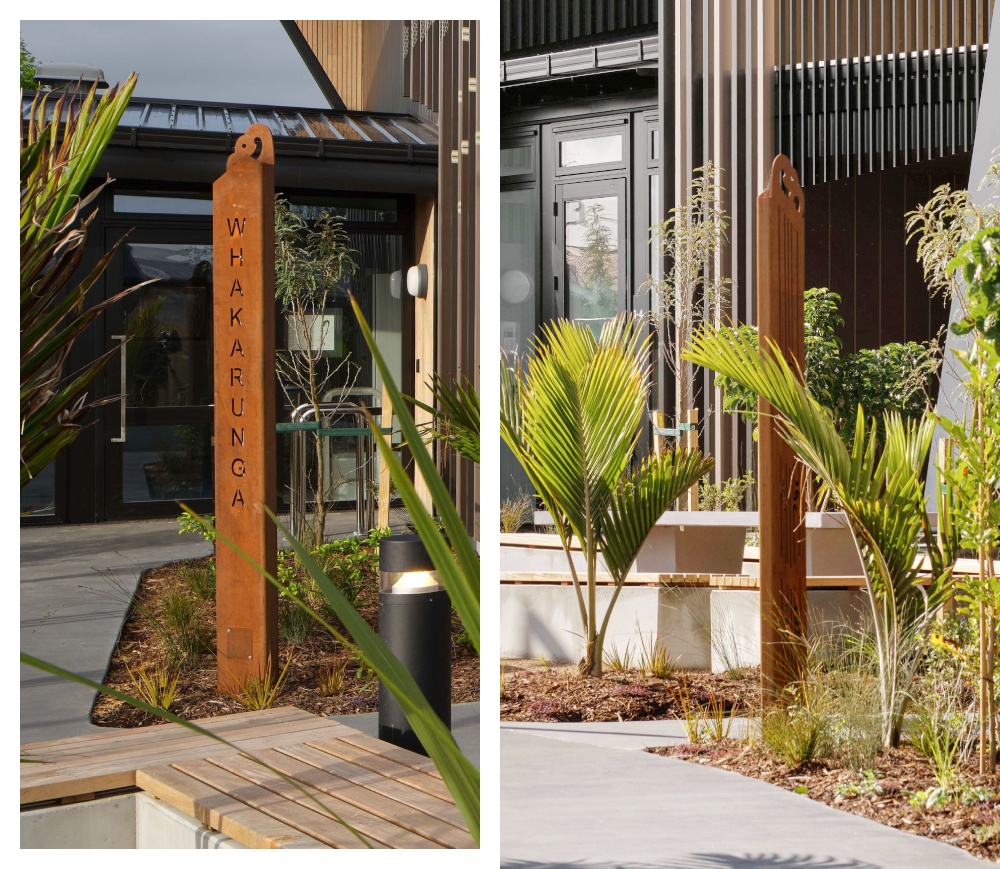
DigitalEuan supplied design for the Corten steel Pou from sketch concepts right through to dxf for cutting/fabrication.

3D design / modelling + files for 3D printing

Project:

MIT Manukau, Auckland

- 3D printed Pou

TechPark – 58 Manukau Station Road, Manukau, Auckland.

https://www.manukau.ac.nz/campus-facilities/campuses/mit-techpark/

Dawn Blessing Ceremony

#1 initial sketch provided

consultation and initial design discussions including scale, purpose, material for printing etc

#2 modelling

basic 3D model designed and changes discussed. 2D images and 3D previews are generated for detailed analysis
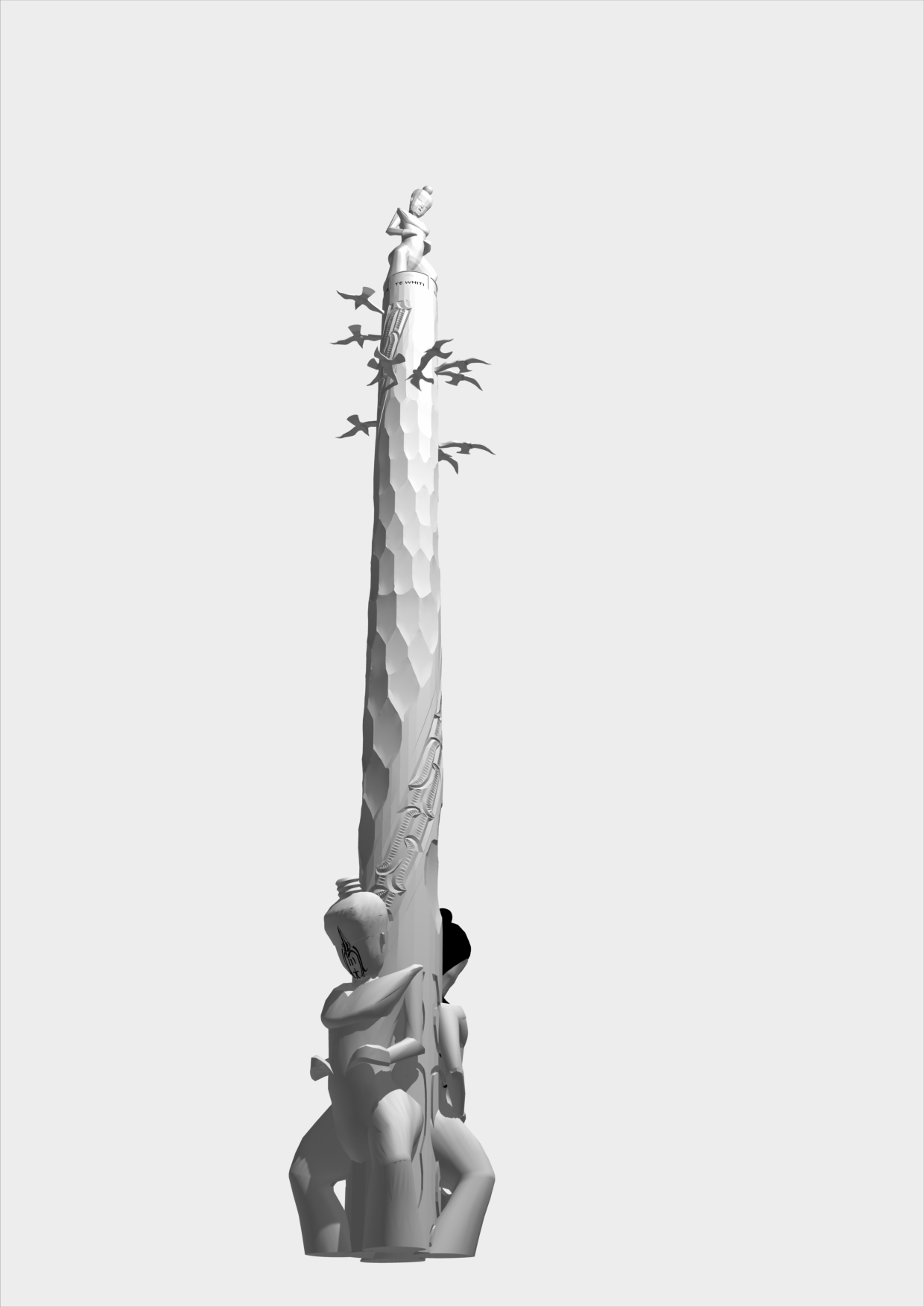
#3 advanced design

details added, and any further alterations made

#4 print setup

model is broken up into printable sized parts, internal support or conduits can be added. STL files or other compatible files generated and supplied to printer

(Click to enlarge)

#5 installation

parts are assembled onsite, they can be painted and have lighting installed

Hei Matau – large sculpture

Project:

Kahawai Point Developments

Aluminum sculpture

 
Aluminum sculpture 3.6m high
 
Kahawai Point, Glenbrook, Auckland
Stunning location looking over the Manukau Harbour.
75 Tahuna Minhinnick Dr, Glenbrook Auckland.
 
– Design + organise local fabrication and installation.
Hei Matau (The Hook)
3D concept design
Foundation design
Dawn Blessing Ceremony
Sunrise

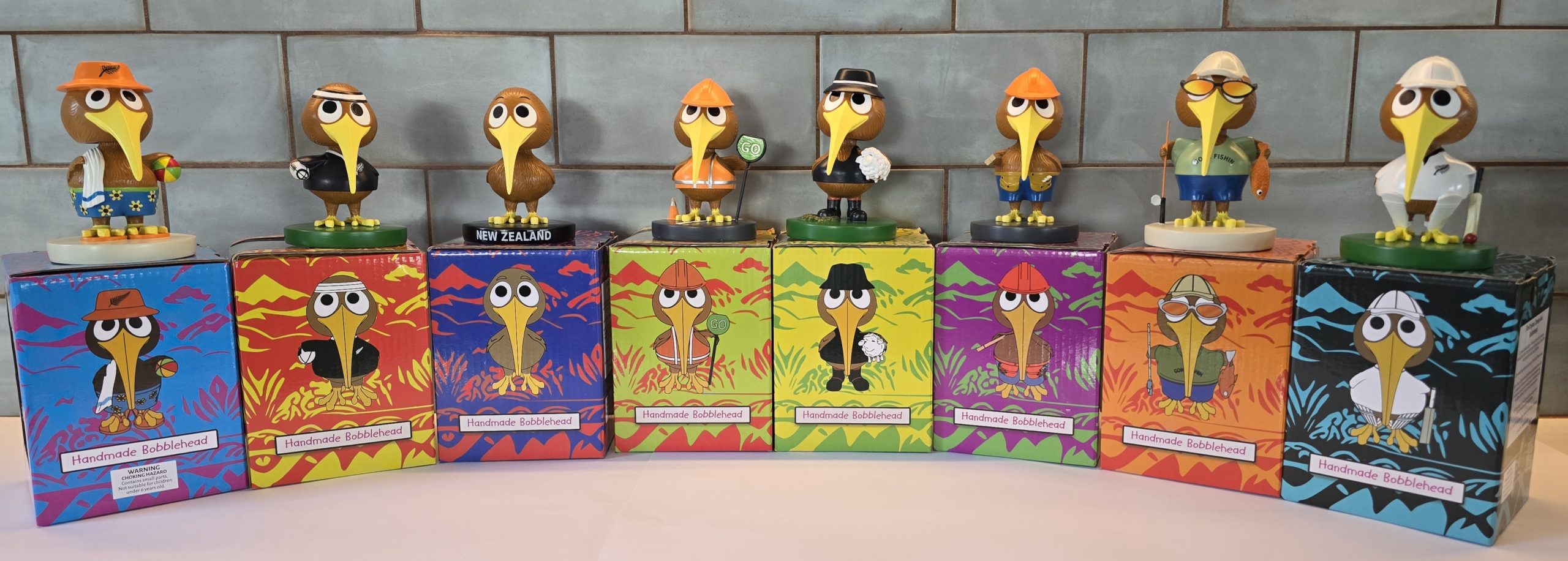
Kiwi Characters – Design for 3D printing

Project:

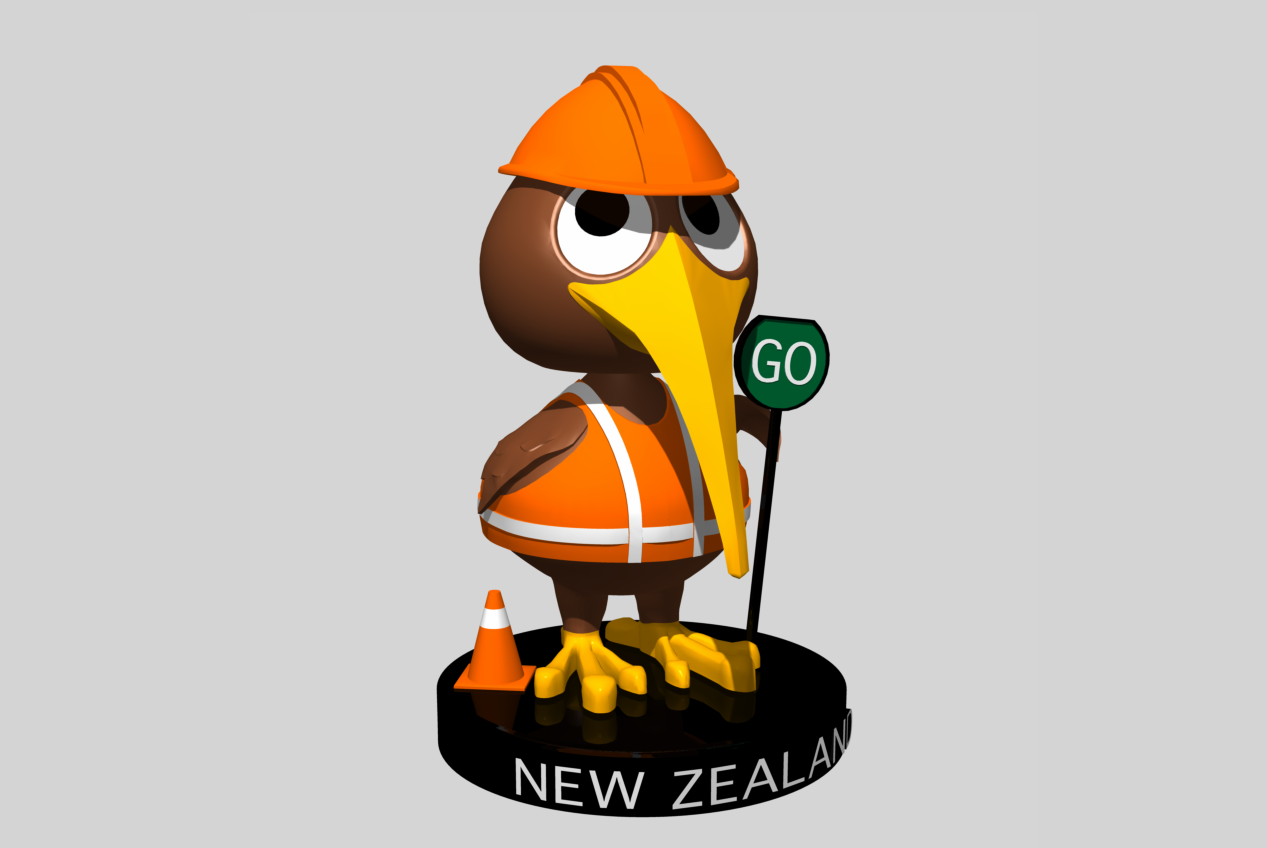
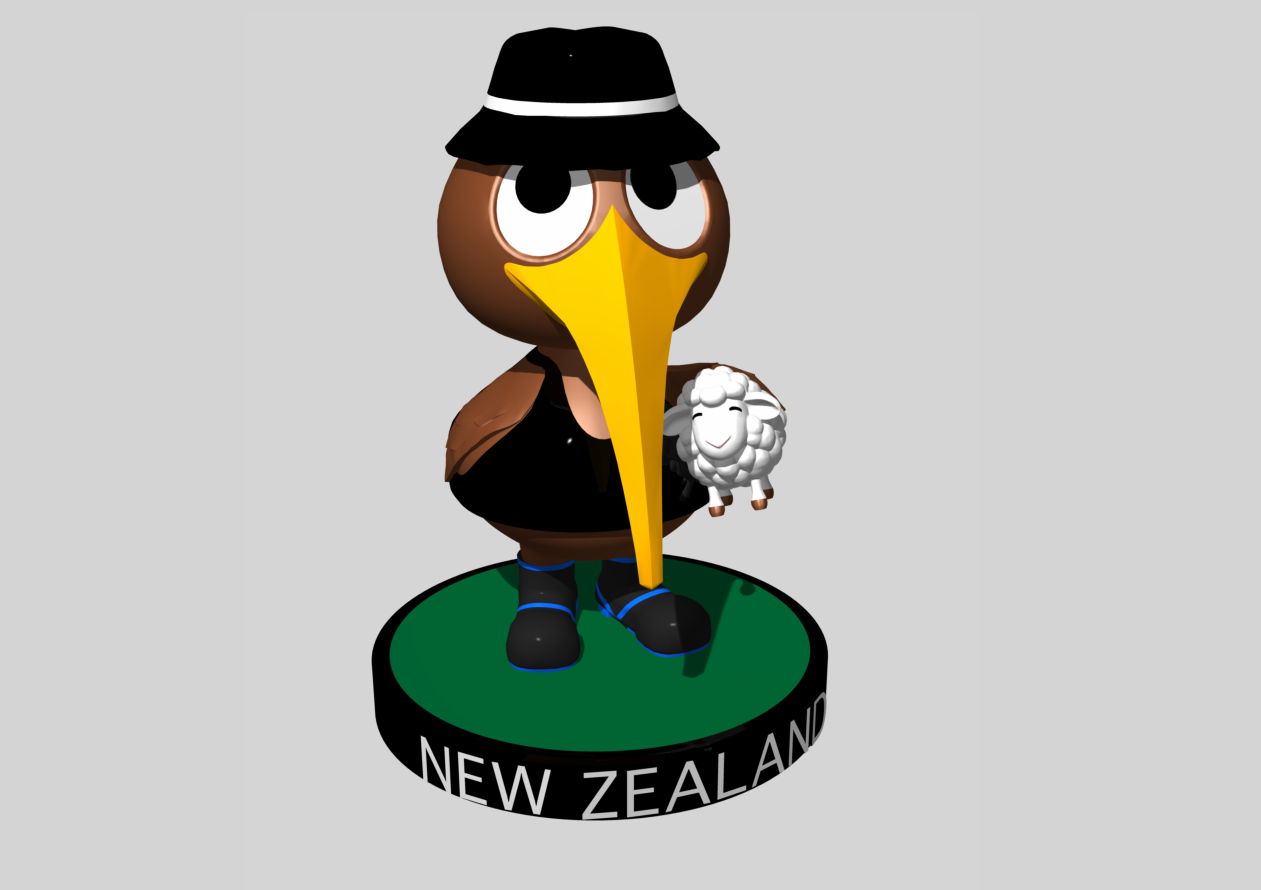
Cheeky Kiwi

Bobbleheads!

 
3D printed as a mould for production
 

The Cheeky Kiwi

– 3D product design from supplied sketches (well defined designs for this project) + branding + product packaging + (original) website with animated bobblehead
Roadworker Charcter
NZ Farmer Character
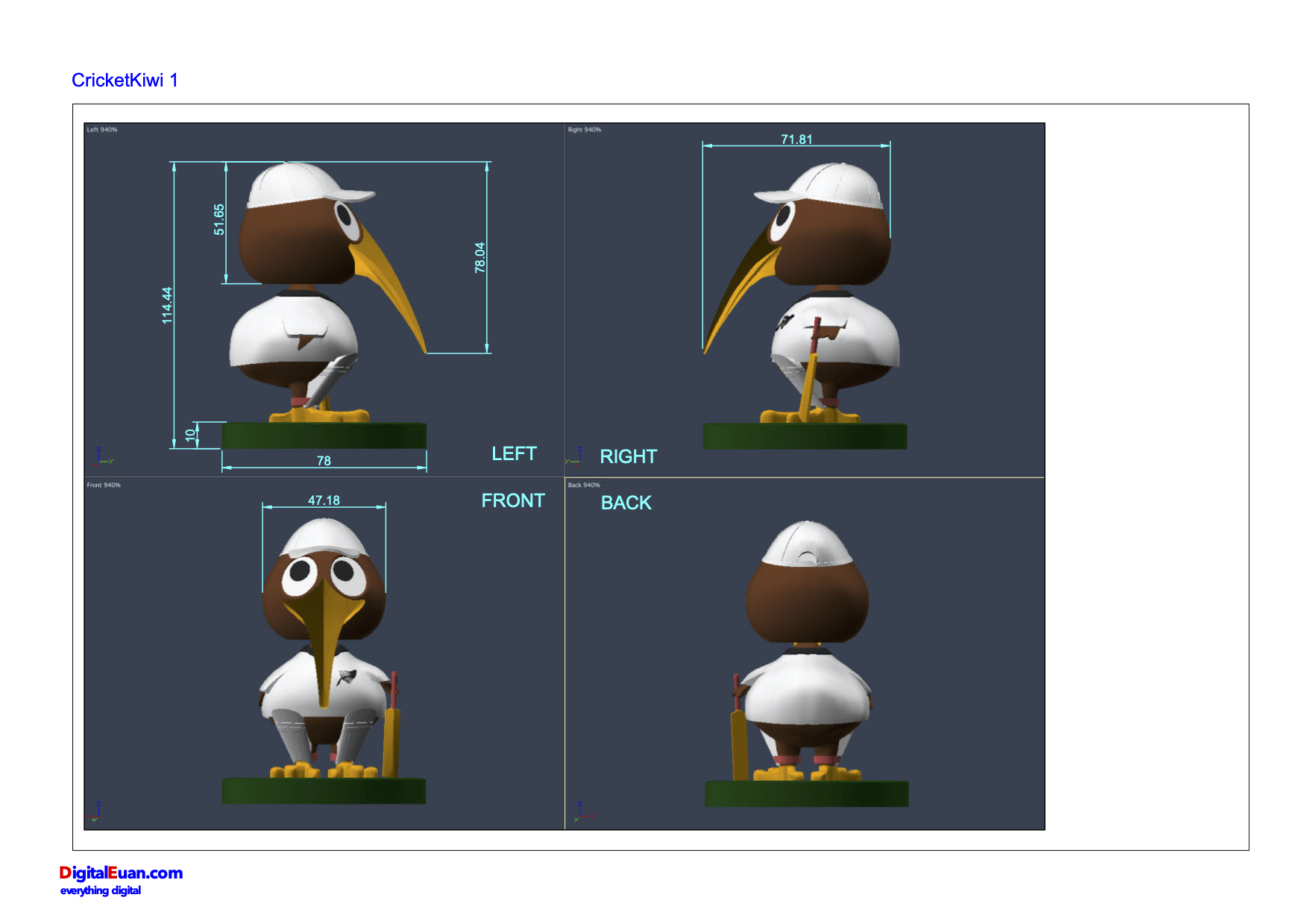
Scale for accuracy
The set with packaging

ABOUT DigitalEuan

Mission
Design things that last – objects, sculptures, and spaces designed with precision and installed with care.

What we’re building
DigitalEuan is my New Zealand design studio that takes ideas from rough sketch to finished installation. I design in 3D, produce fabrication-ready files (DXF, STL), manage fabrication and installation, and deliver work that holds up over decades – public sculptures, architectural screens, cultural signage, and digital experiences.

I’m working with App building for B2B use – real value through function.

Working with individuals, iwi, councils, architects, artists, and property developers who need something built correctly, not just quoted cheaply.

CONTACT

Where we’re headed
Aotearoa has no shortage of designers who can make something look good on a screen. DigitalEuan is the studio that closes the loop – the one that makes sure the thing on the screen is the thing that gets bolted to the ground, lit properly, and still looks right in twenty years.

A few interesting design/sculpture projects:

Interactive 3D pixel-art version of this DigitalEuan.com website

Explore the village and visit the buildings to see information about DigitalEuan services and past projects

A fun way to interact and present information where the users explores content like it is a video game.


https://digitaleuanpixelvillage.lovable.app

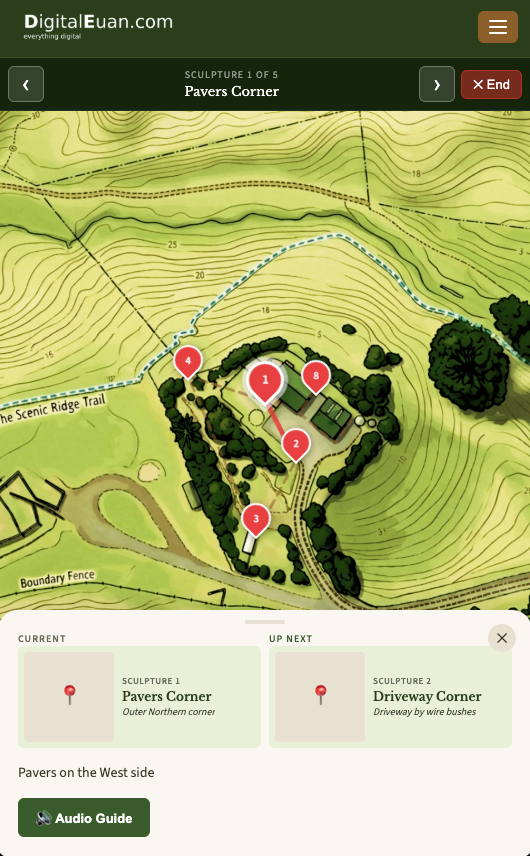
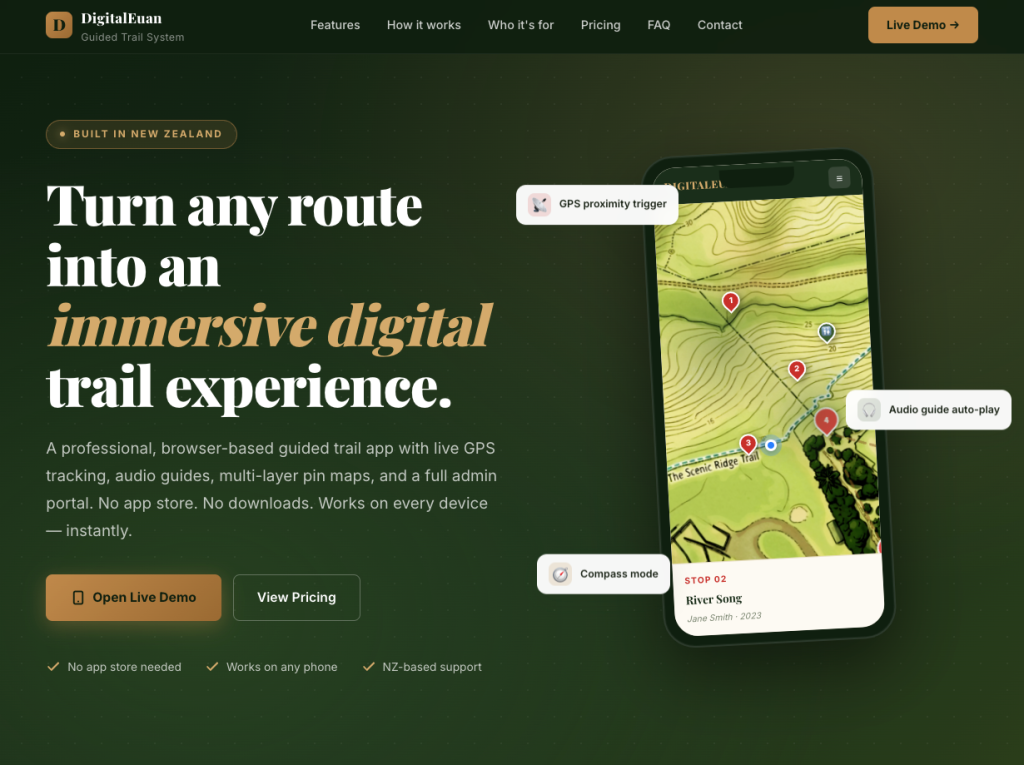
A professional, browser-based guided trail app with live GPS tracking, audio guides, multi-layer pin maps, and a full admin portal. No app store. No downloads. Works on every device – instantly.

AI Research and Development

Artificial Intelligence (AI) projects

As part of R&D into AI I am developing a system called the "Universal Binary Principle" - the UBP. It is a Python-script implemented research platform that represents physics and other fundamental phenomena virtually using only established mathematical and computational methods - but perhaps in an unconventional way. I built an App - the UBP Core Studio to work with the UBP specifically, it contains many experiments and system developments including a somewhat novel Prime Number analysis method and my own Geometric Language Machine - a deterministic LLM/AI (very experimental).

UBP Core Studio App

UBP system through Google AI Studio

https://aistudio.google.com/apps/8eef816d-e338-4bcb-9ae0-b9d2d0c476a5

UBP Drive

Hardened data storage: Golay Error Correction self-healing data App

https://ubp-drive.lovable.app/
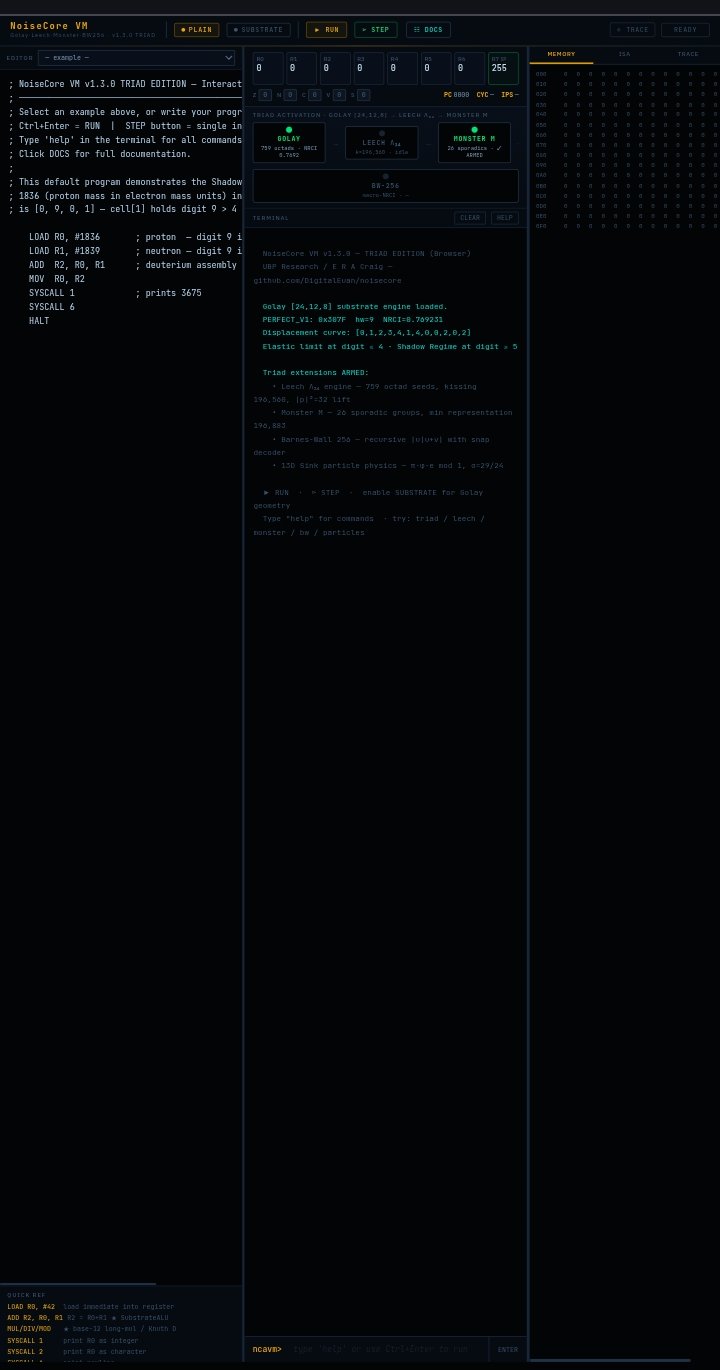
noisecore VM

Virtual CPU - a real register machine with a 46-instruction ISA, a two-pass symbolic assembler, and a SubstrateALU that performs arithmetic natively.

https://digitaleuan.github.io/noisecore/ https://github.com/DigitalEuan/noisecore

Views: 385